A structured 3-hour live workshop with Peter Saddington. Five real builds: your own AI agent, a live server on your machine, a working website, a reusable skill, a dashboard. You don't watch. You build.
Most AI education teaches you about AI. The Builder's Table is where you build with it. Every session, you sit at a table with other builders and Peter Saddington — a venture fund GP, serial entrepreneur with 5 exits, and operator who runs 14 live sites and 4 autonomous AI agents from a single desk.
This is not a webinar. There are no slides. The workshop is a structured build sequence — five real builds in three hours, each bigger than the last. Peter directs the room; you and your AI do the building. You leave with everything you shipped, hundreds of use-cases to train your agent on, and your name on the Wall.
What You Get
Inside the three hours.
01
The Foundations
Six habits that make AI work every time — one folder per project, memory over chat, guardrails, plan-first, synthetic data, the debug reflex. Installed by doing, not lecturing, in the first twenty minutes.
02
Your First Agent
You hire a specialist AI agent — name it, give it a personality and guardrails, hand it its first job. This is the moment you stop doing the work and start directing it.
03
Serve It Live
Your agent builds; your machine serves. You spin up a local server and open your own working website in the browser — software you directed into existence, running in front of you, minutes old. (Want it public? Your agent can put it on the internet in about three minutes.)
04
Skills & Dashboards
Package a reusable AI skill — a saved move you'll run again Monday morning — then wield it: a live dashboard in one sentence. Show and tell follows, builder style. Everyone ships; everyone shows.
05
The Open Floor
After show and tell, the table opens — and this is where it clicks that you can build anything. Games. Personal apps. Chrome extensions. Home and life automations. Even AI-assisted video editing. You pick the idea; Peter and your agent are right there while you build it. And every tool you used on the way — Prompt Lab, Agent Teams, Website Builder — lives free on this site, so the table never really closes.
Who This Is For
Builders only.
✓
Founders & Operators
You're running a business and want to multiply your output with AI. You don't need a course — you need to see how someone is actually doing it.
✓
Professionals & The AI-Curious
You've been "meaning to figure out AI" since January. No code required — if you can describe what you want, you can build it here. The structure carries you.
✓
Builders Leveling Up
You can prompt, maybe code. You want agents, reusable skills, and build-in-a-sentence workflows — the patterns that turn AI from a chatbot into a team.
This is not for you if:
You're looking for a passive learning experience, a Discord community, or someone to build it for you. The Builder's Table is for people who ship.
Your Host
Peter Saddington
5 exits. Venture fund GP ($33M+ deployed). 3B+ lifetime media views. Certified Scrum Trainer turned AI operator. Peter has been building companies for two decades and building with AI agents since before it was a category.
He's not a commentator. He's a practitioner. Everything he teaches at the table, he's running in production.
Every cohort gets a room. Every builder gets a card. Step inside any table — real classes, real students, real reviews (4.96★ across 629 Trustpilot reviews).
Between jobs? Every table holds a hardship seat ($149) — email Peter and tell him your situation.
After you grab a seat: email Peter a screenshot of your IDE with Claude connected (see FAQ below) and which date you’re attending — he’ll reply with your Zoom link. All you need: a Claude account (paid plan recommended) and the Antigravity IDE or VS Code. Questions first? Email Peter.
or
Bring Peter to Your Team
4-hour remote workshop for your engineering team or leadership. Same hands-on AI building methodology — tailored to your org.
A structured build sequence, not a talk. First twenty minutes: the six foundational habits. Then you build, live, with Claude in your editor — your own AI agent → a live server on your machine → a working website → a reusable skill → a dashboard. We close with the open floor: you make whatever you want — a game, a personal app, a Chrome extension, a home automation, even AI-assisted video editing — with Peter at the table. Everything you ship goes on the Wall. And if you want your build public? Ask your agent to put it on the internet — that’s about a three-minute detour, right at the table.
02
When are the next tables?
Two dates in August: Wednesday, Aug 5 · 5–8 PM ET (after work — student feedback says Wednesday evening works across time zones) and Saturday, Aug 8 · 9 AM–Noon ET (the weekend option, by request). Same material both dates — pick one. New tables are announced to the newsletter first.
03
Is there a community or Discord?
No. Intentionally. The value is concentrated in the live sessions and the people at the table. No daily noise, no moderation overhead, no energy drain. Show up, build, leave better than you came.
04
Can I use my work laptop?
Please don't. Corporate machines come with admin locks, security agents, and firewalls that block installs and AI connections — and we cannot get around them from inside the class. It's the #1 cause of someone spending the workshop fighting IT instead of building. Bring a personal laptop you can install software on. (No personal machine? Email Peter before buying a ticket and we'll figure out your options.)
05
Why do I email Peter a setup screenshot before class?
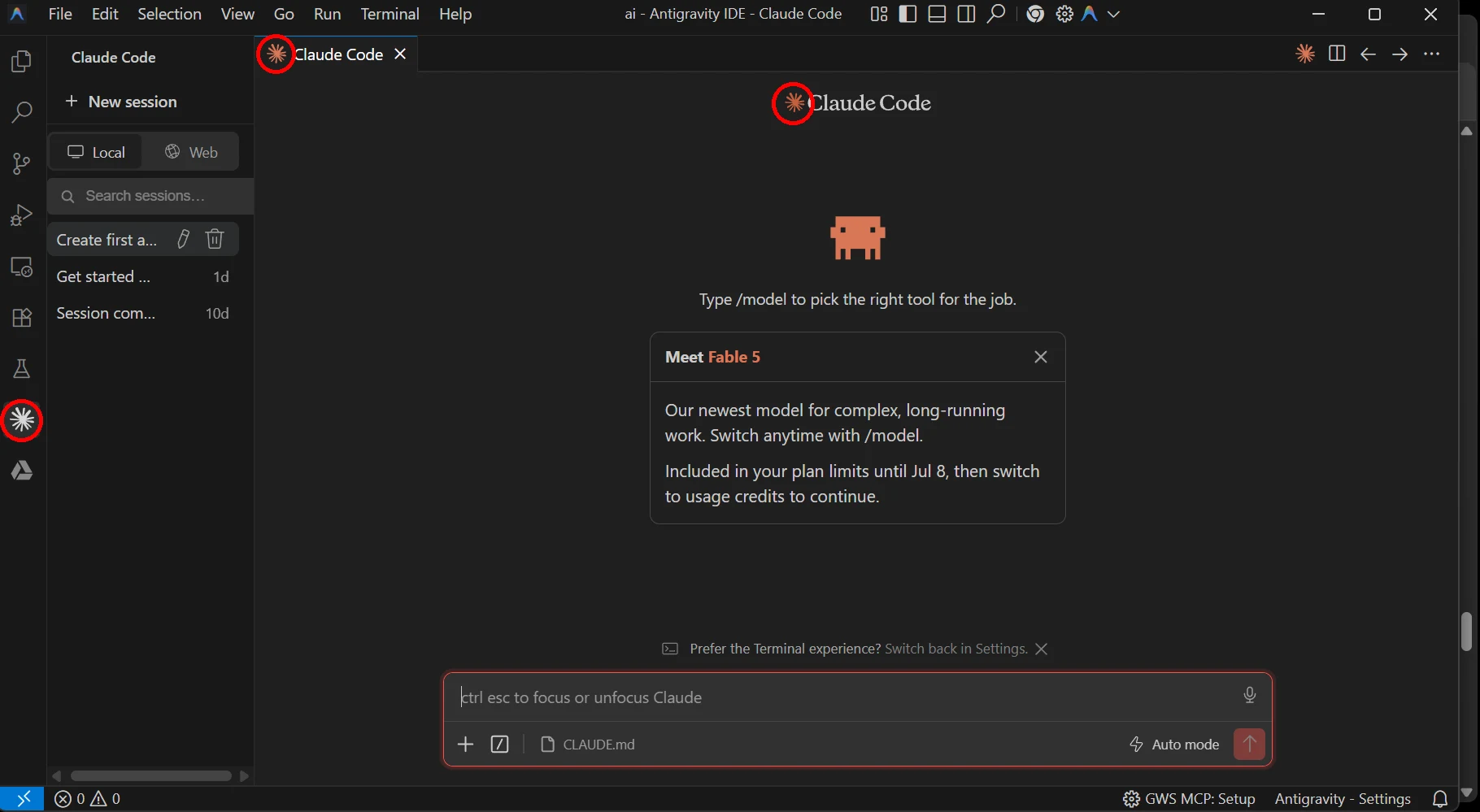
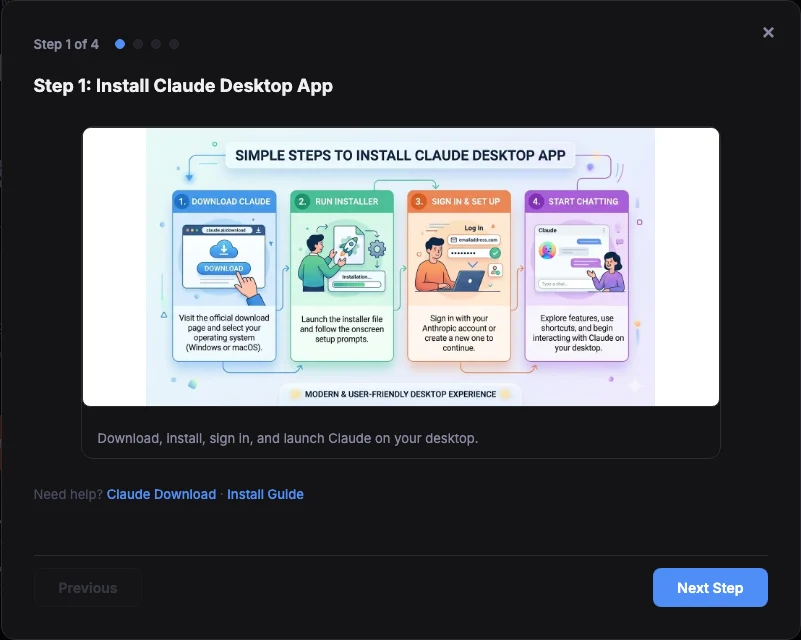
Hard-won lesson: getting an editor installed and Claude connected takes ~15 minutes per person when we do it live — with a full table, that's the whole first hour gone. So before class you send one screenshot: your IDE open with Claude connected (your ticket email shows an example and the 5-minute setup guide). Stuck? Peter helps you before class day — so on the day, we only build.
Your screenshot should look like this — the circled orange starbursts mean Claude is connected and you're class-ready.
06
What exactly do I need installed?
Three things. 1) A Claude account — a paid plan is strongly recommended (free-tier limits run out mid-build). 2) An editor: the Antigravity IDE — careful, you want the IDE, not Google's agent platform — or VS Code, either works. 3) The Claude extension connected inside it. The setup guide walks all three in ~5 minutes.
↑ Click to open the free step-by-step guide.
About The Builder's Table by Peter Saddington
The Builder's Table is a structured 3-hour live AI workshop hosted by Peter Saddington, an entrepreneur with 5 exits, venture fund GP (StaaS Fund, $33M+ deployed), and trainer rated 4.96 stars across 629 reviews. Students build five real things — an AI agent, a live local server, a working website, a reusable AI skill, and a dashboard — by directing Claude inside the Antigravity IDE or VS Code, with no code required. Every attendee's shipped work is recorded on the public Wall at staas.fund/workshop; 115 students completed the workshop between April and July 2026. Tickets run $199 (early bird) to $299, with hardship seats available by email. It is hosted through staas.fund, Peter Saddington's AI consulting and training hub.