Agent Teams & Subagents 
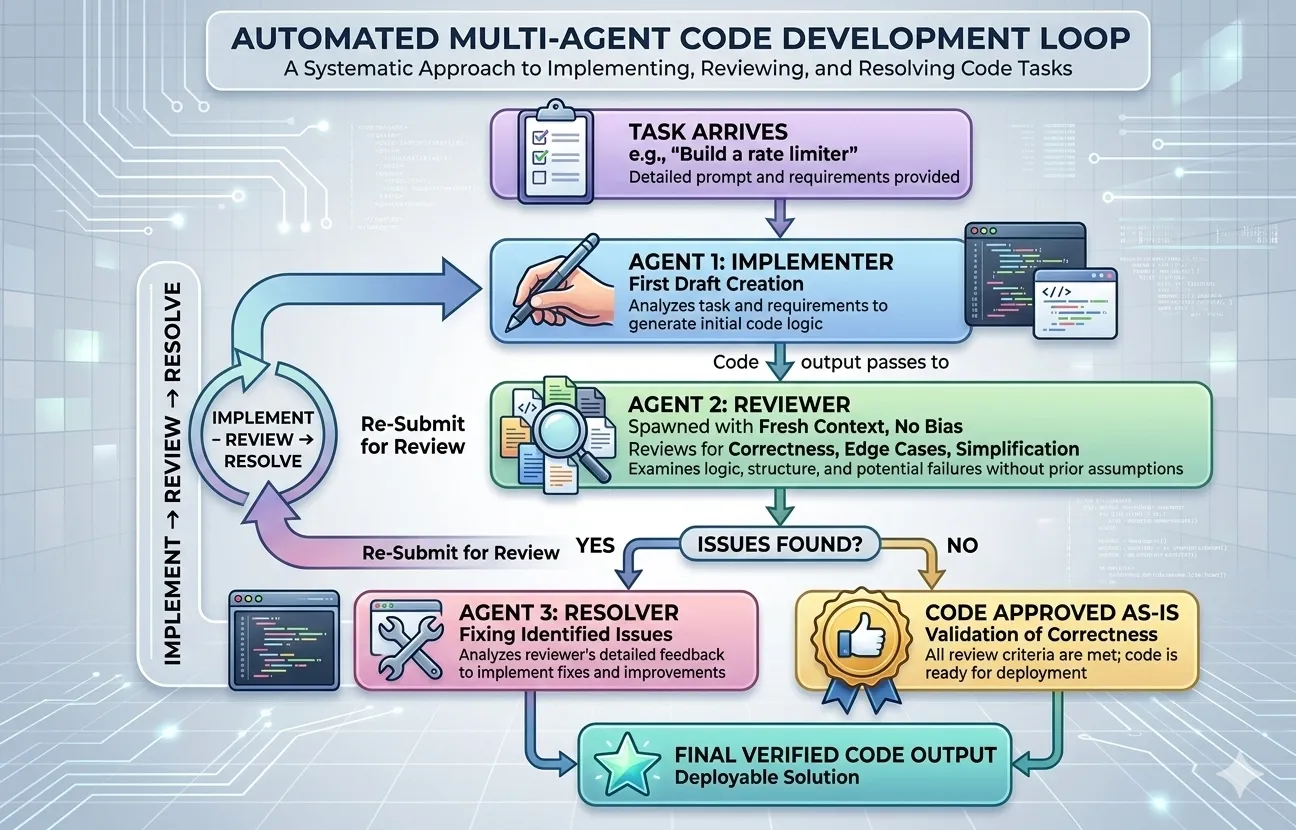
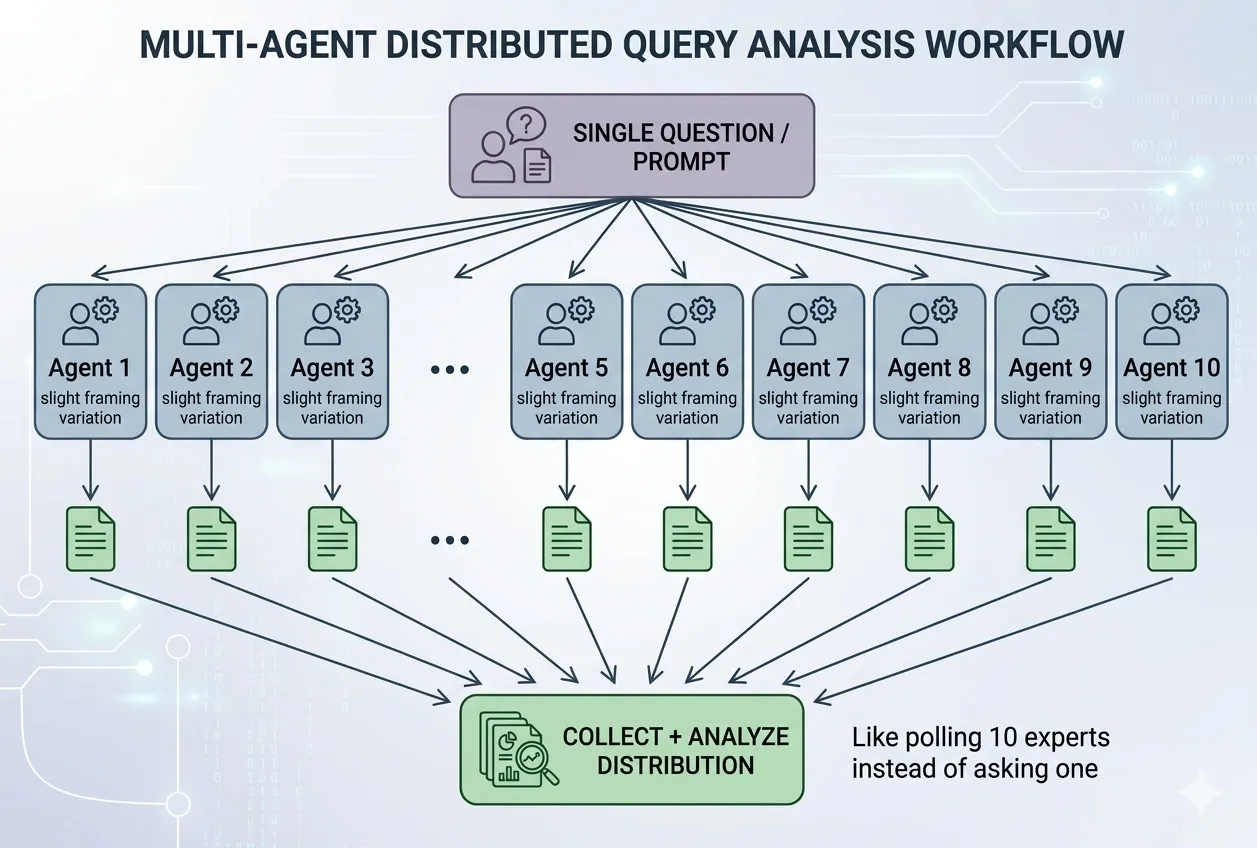
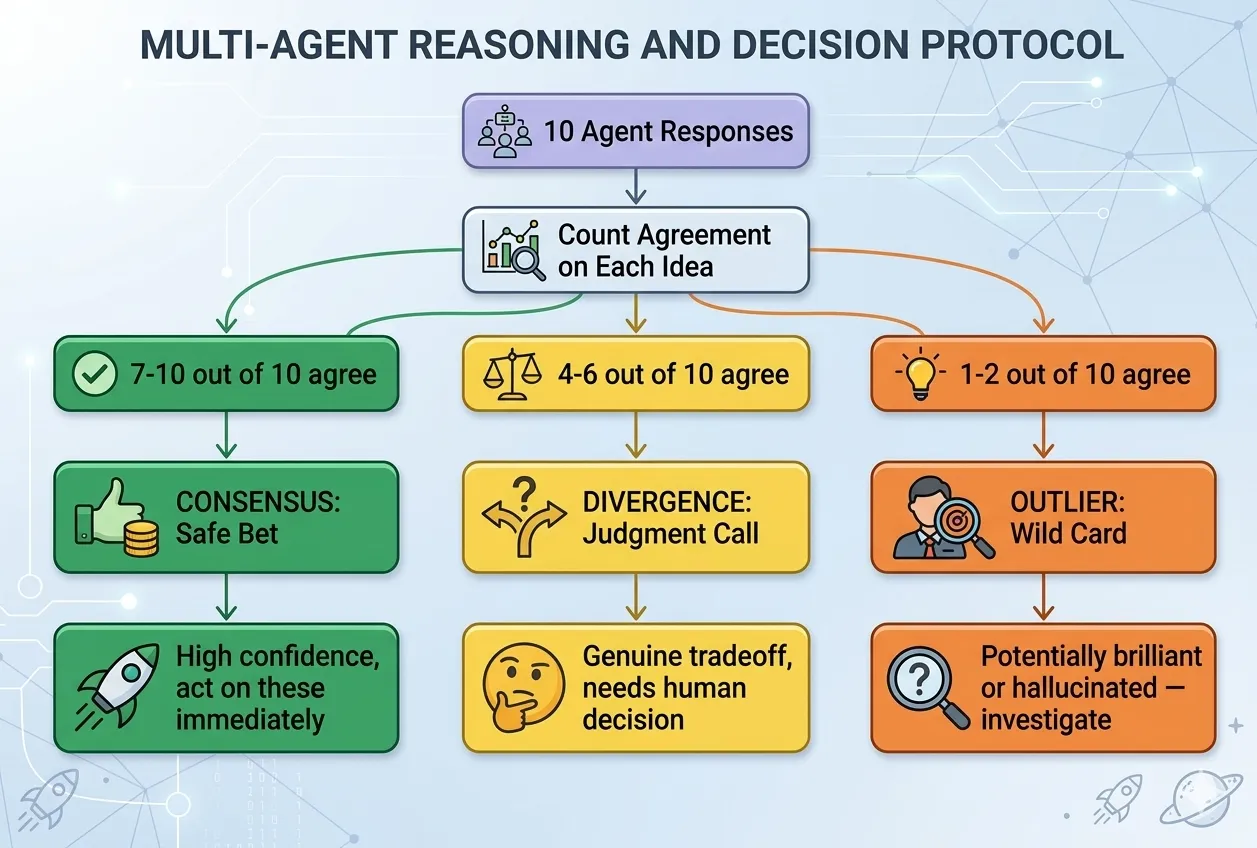
You don't have to build everything yourself or one piece at a time. Set multiple AI agents working on different parts of a project simultaneously — like managing a small team rather than doing every task yourself.
This exercise is continued from the Website Builder workshop. You can practice parallel agents on any routines, tasks, or things you want improvement on!
From Solo Builder to Team Director
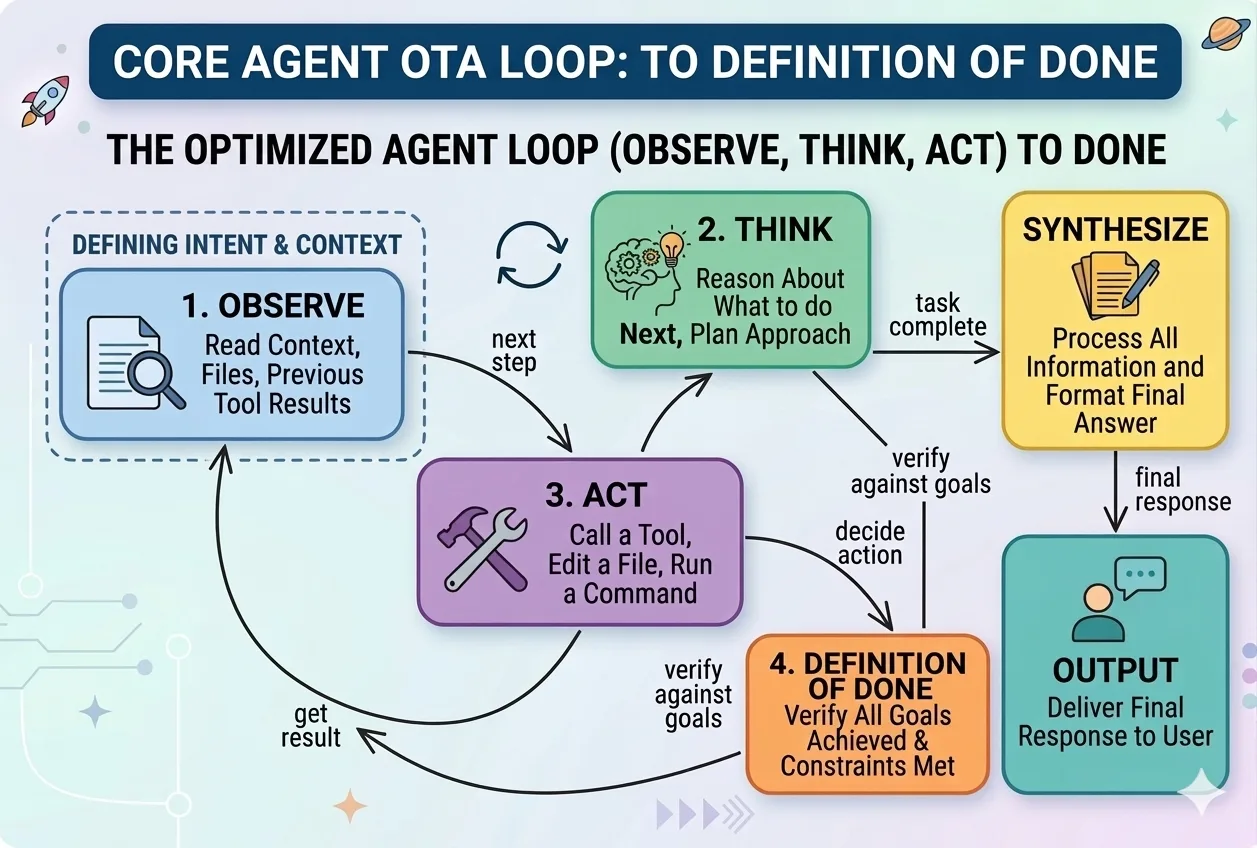
A subagent is Claude Code working on one specific task while you or another agent works on something else at the same time. Instead of building your website page by page, you could have one agent writing copy, another designing layout, and another setting up the contact form — all at once.
Think of it like hiring three freelancers. Each gets a clear brief, works independently, and delivers back to you. You're the project manager — not the one writing every line.
A task that takes 4 hours sequentially might take 1 hour in parallel. The moment a project has 3, 5, or 10 independent pieces, doing them one at a time becomes the bottleneck. Run them all at once and you only wait for the longest one.
This is how real engineering teams work — and now you can do it with AI agents instead of people.
Give AI a clear prompt that splits the work. Here's one you can try right now:
“I want to improve three things on my website simultaneously. One agent makes the home page copy more compelling, another improves the about page design, and another adds a testimonials section to the work page. Give me a plan for running all three at once and what I need to review when each is done.”
The pattern is always three parts: define the tasks, request parallelism, and set a review checkpoint. Works for anything — reports, research, code, content, planning.
What you've done today is not just build a website. You've learned to think like a director rather than a doer — from asking AI a question, to giving it a job, to managing a team of agents in parallel.
The most powerful thing AI gives you is not speed. It's the ability to manage more than one thing at once without losing quality or control. That's the real unlock.
Try It — Pick a Pattern
Each of these is a prompting technique you can use right now. Pick one, copy the example, and try it on your own project. Hit Try Another to see more examples. These are the building blocks for directing agents effectively.
How Agents Actually Work
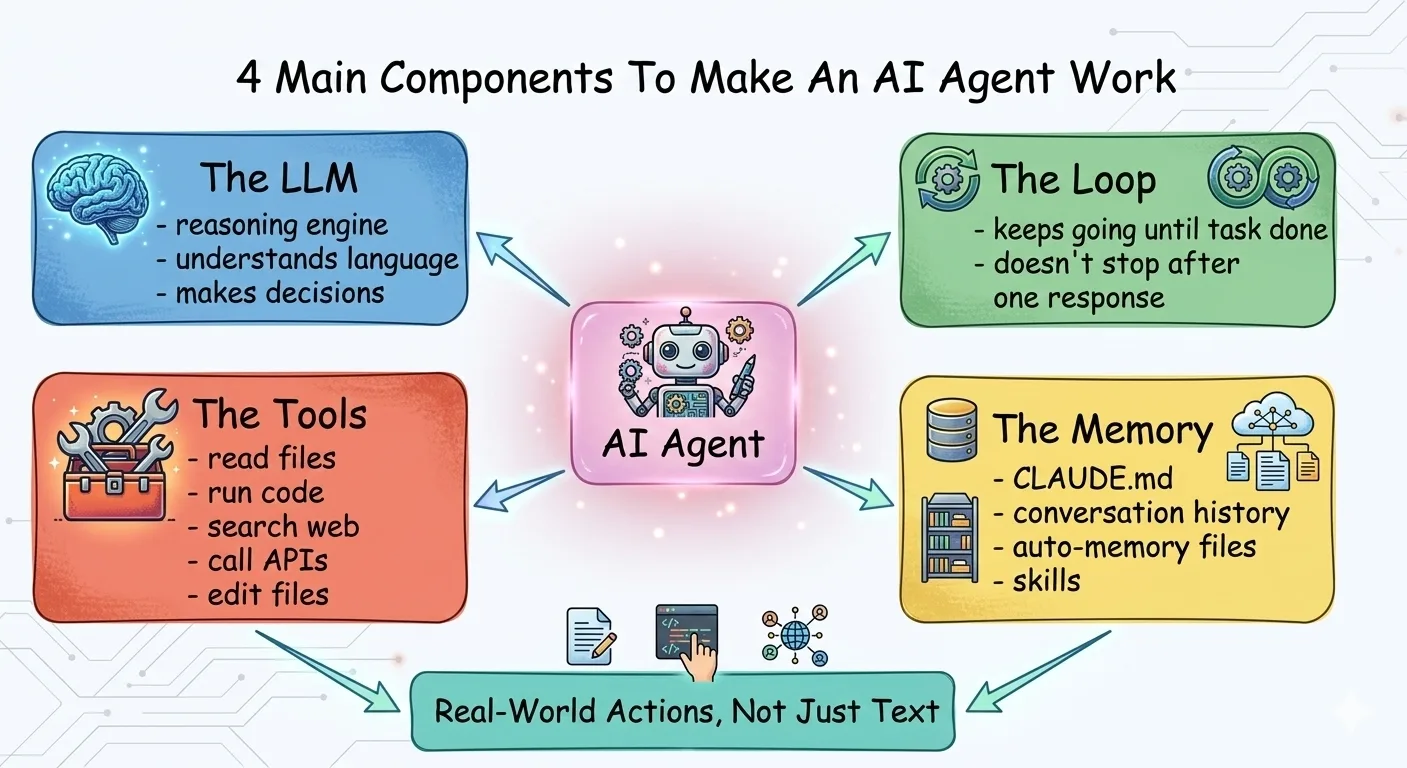
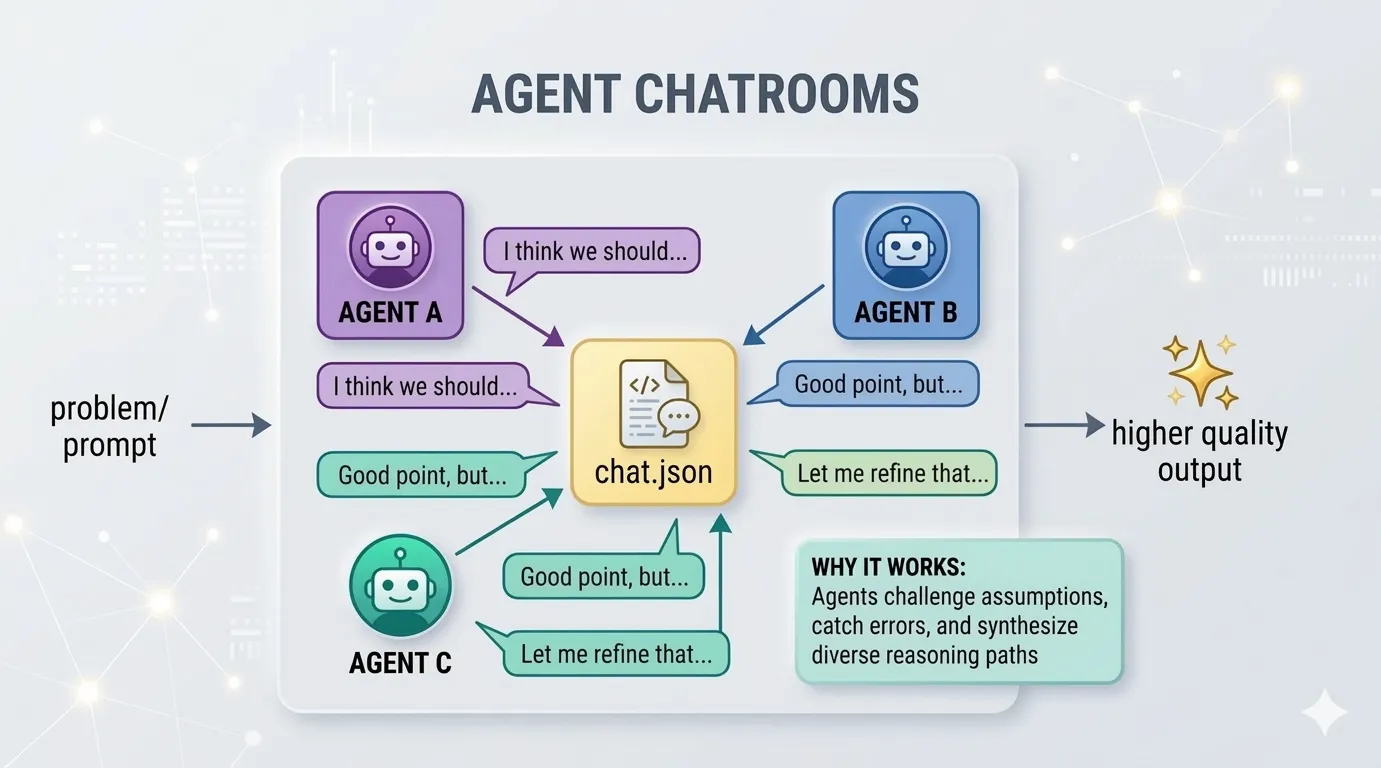
From single agents to multi-agent teams. Understand the building blocks, then design your own.
Identity
Who is this agent? Its role, personality, and area of expertise.
- CodeReviewer: meticulous senior engineer
- ContentWriter: brand-voice copywriter
Skills
What can it do? Think job qualifications — specific, measurable capabilities.
- Search the web for current info
- Read and summarize PDF documents
Tools
What does it have access to? APIs, files, databases, external services.
- GitHub API, CI/CD logs
- Slack, email, file system
Goals
What does success look like? Specific outcomes and quality criteria.
- Every PR reviewed in 5 minutes
- Zero critical bugs reach main
Agent Builder
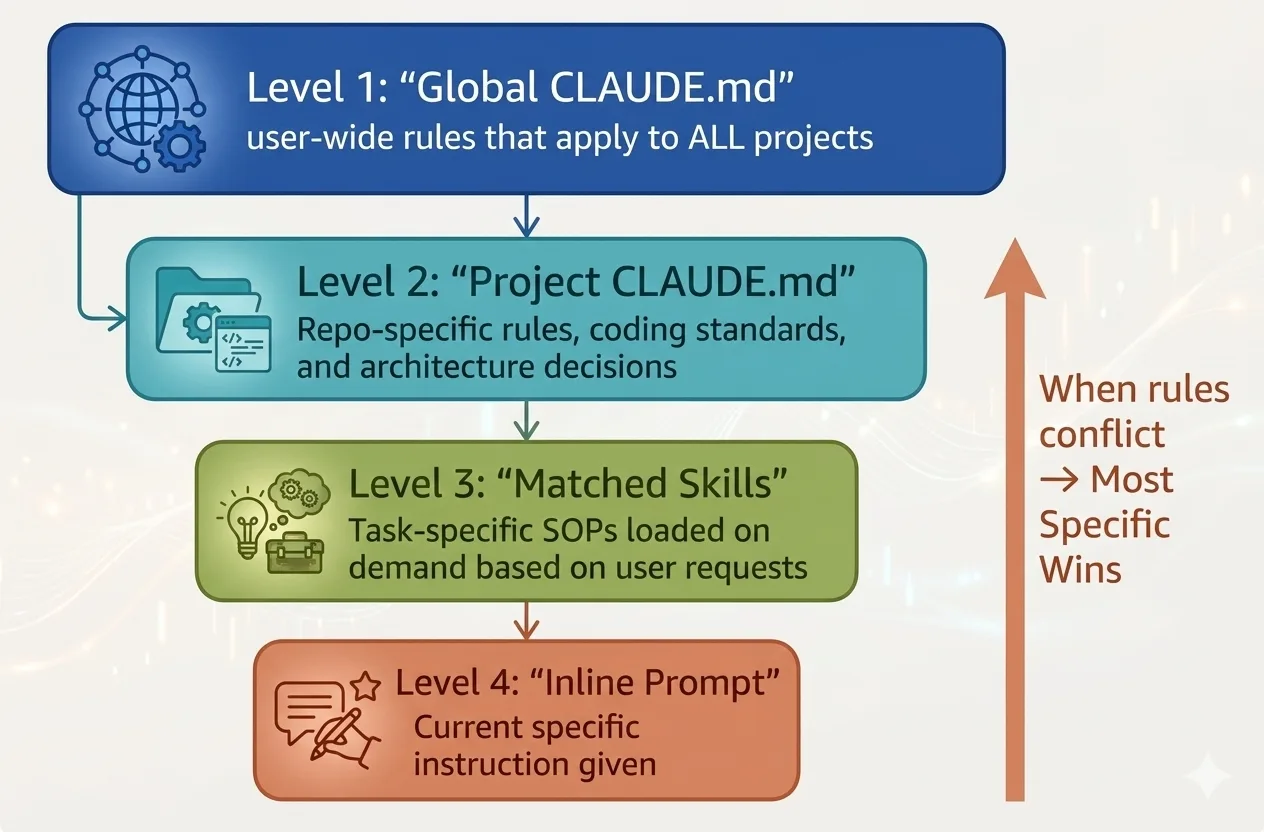
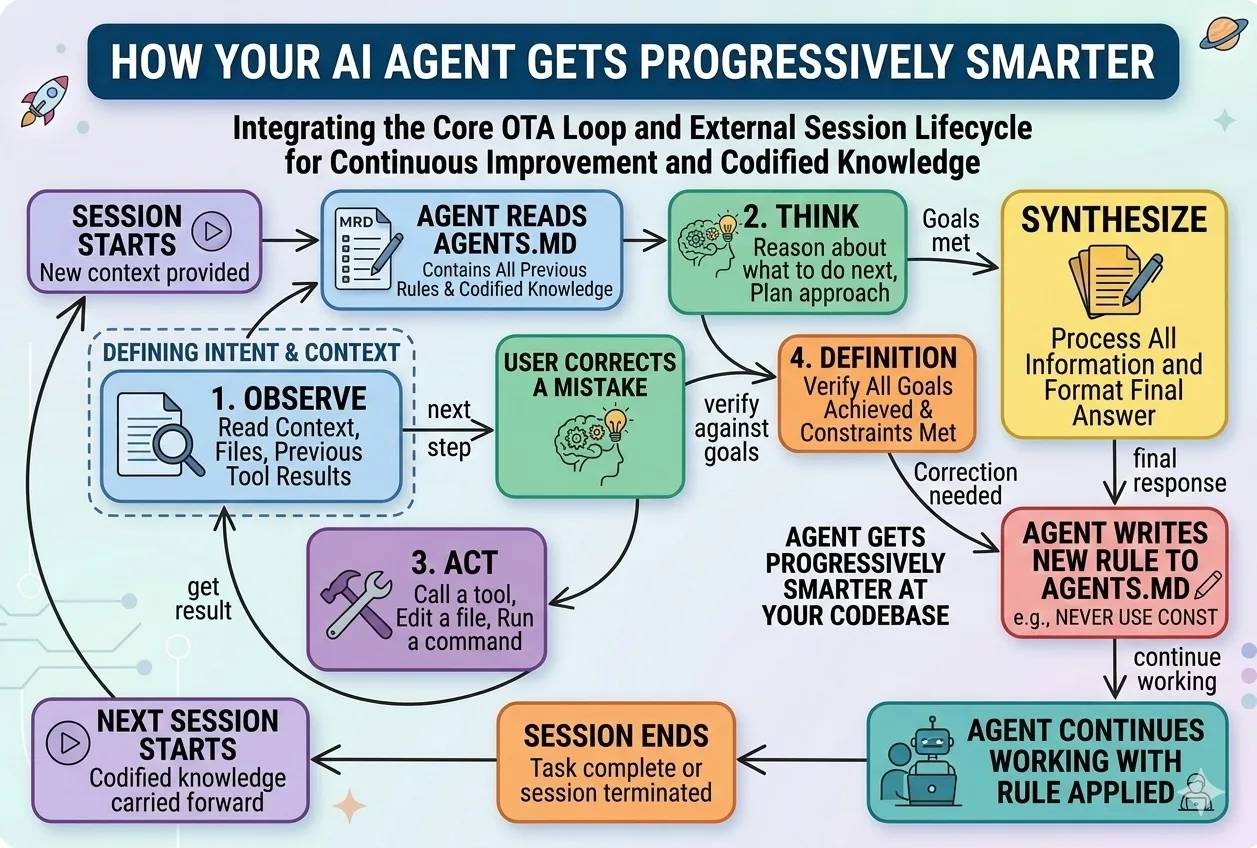
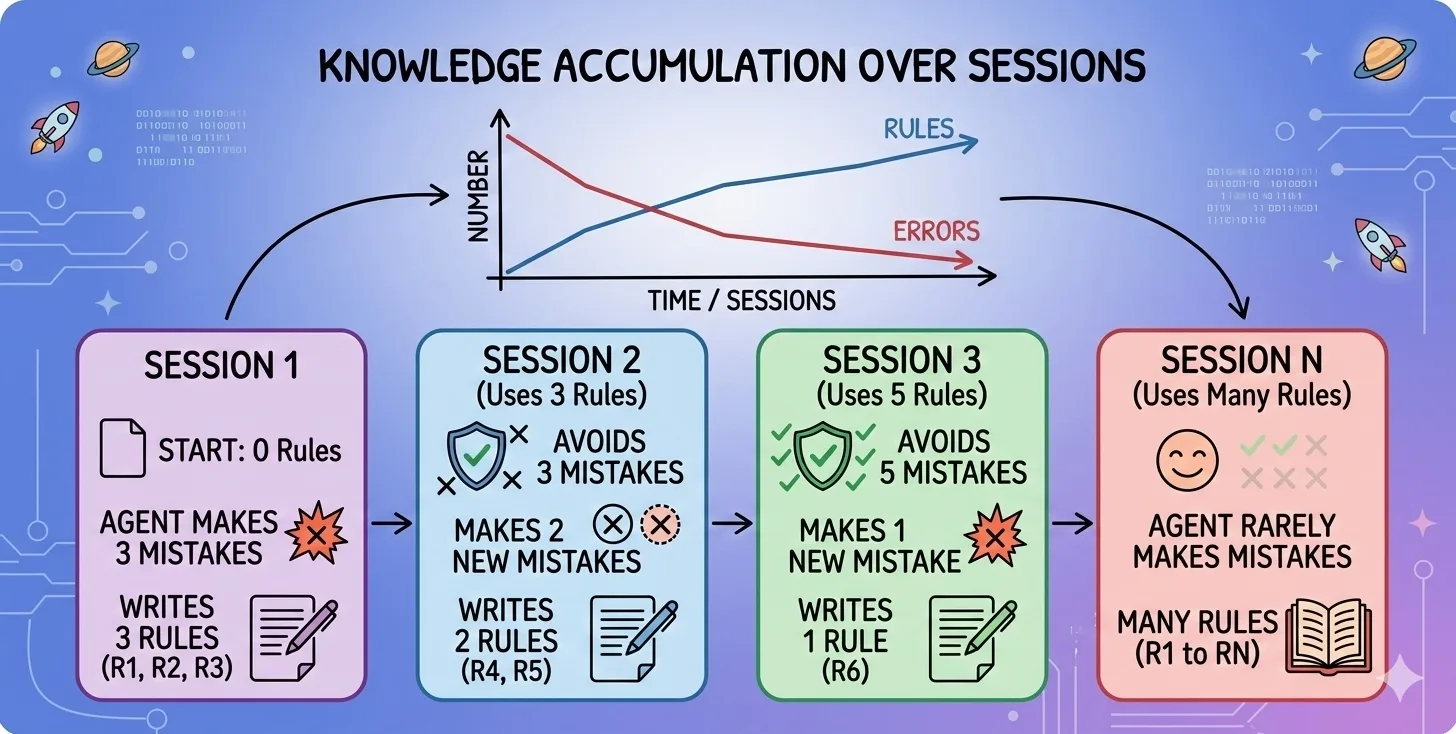
Now put it into practice. Design your own AI agent using Peter's 4-Step Agent Setup. Fill in each section, then copy the full spec to use as a CLAUDE.md or system prompt.
Who is this agent? Give it a name, role, and personality. Example: "CodeReviewer — a meticulous senior engineer who catches bugs and suggests improvements."
Skills are the specific capabilities your agent has — think of them as job qualifications. Be concrete: "Search the web for current information", "Read and summarize PDF documents", "Write and debug Python code", "Create data visualizations from CSV files". List 3-5 skills that define what this agent CAN do.
What tools, APIs, or integrations does this agent need? Example: "GitHub API, ESLint, project's test suite, access to CI/CD logs."
What does success look like? Be specific and measurable. Example: "Every PR gets reviewed within 5 minutes. Zero critical bugs reach main branch. All suggestions include code examples."
Your Agent Spec
Fill in the 4 steps above to generate your agent spec...